

iMixing mixing and MIDI
A music AI service for preparing tracks for release and working with MIDI. You upload WAV tracks or a MIDI file — the service analyzes the material, helps assign stem roles, fixes musical and technical issues, and hands the result back. The new version includes Drum Doctor, MIDI Generator, a personal account, and a project library.
01 / product scope
Not a “magic AI button”, but a practical tool for the most tedious stage of working on a track
02 / interface
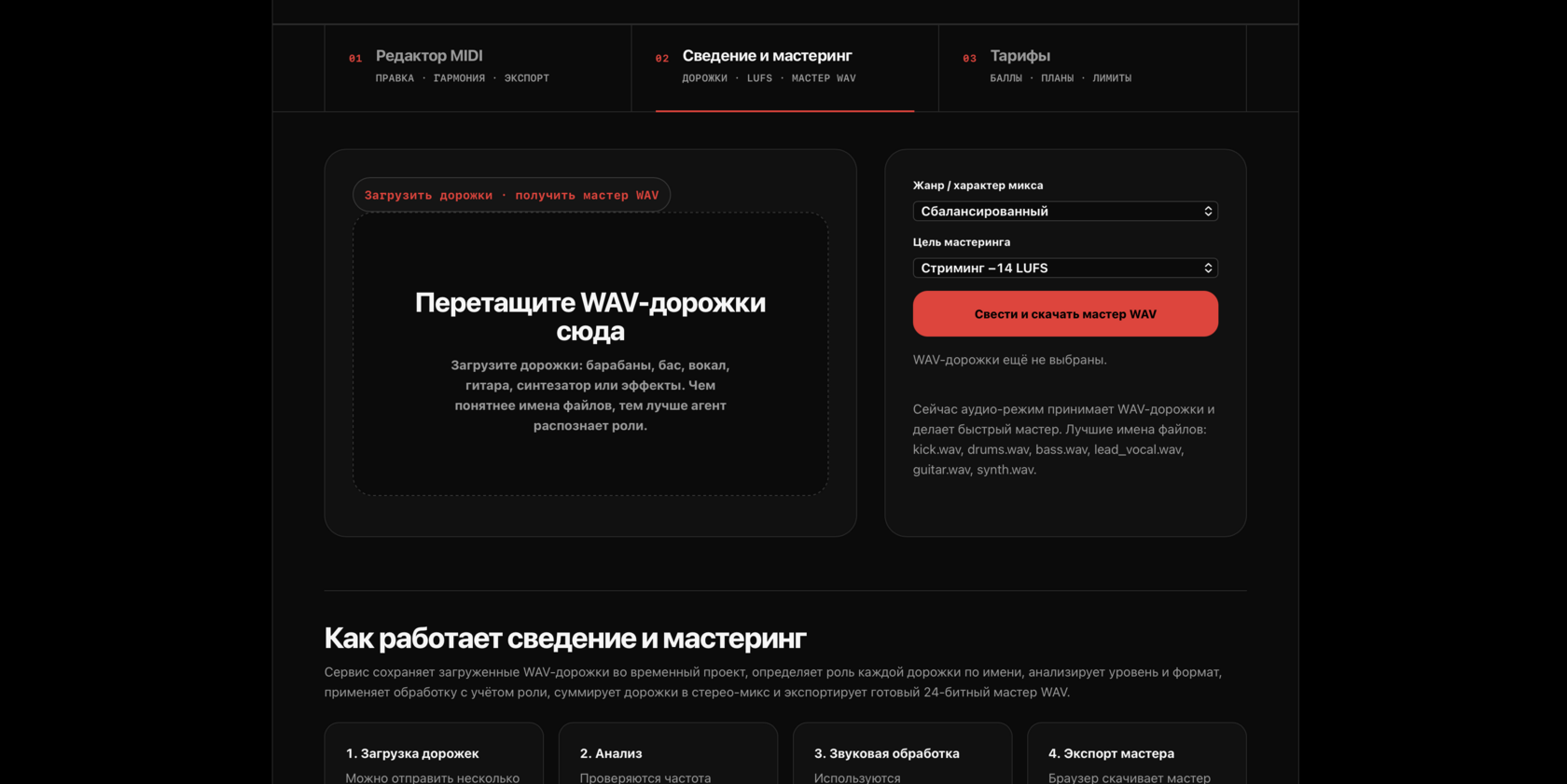
Live screens: the service is built as a real web tool, not a landing page



03 / what it is
Three directions: clean audio, fixed-up MIDI, and generating new parts
Audio Mixing & Mastering processes individual WAV tracks, sums them into a stereo mix, and exports a finished `master.wav` along with `analysis.json` and `mix_plan.md` reports.
MIDI Doctor fixes MIDI according to musical rules: rhythm, key, voice density, instrument ranges, and DAW compatibility. Drum Doctor separately works on rhythmic patterns: it preserves MIDI pads, aligns timing and velocity, and removes duplicate hits.
MIDI Generator creates up to ten minutes of bassline, melody, and drum machine parts according to musical rules. The user picks a style, key, mode, BPM, swing, humanize, density, and seed, then exports reproducible MIDI into a DAW.
04 / how it works
One run covers the whole path: from track analysis to a finished master
audio
Mix & Master in a single pass
The user places a folder with separate tracks (`kick.wav`, `bass.wav`, `lead_vocal.wav`…) and runs `imixing-agent examples/stems --output out`.
- Finds WAV files and determines the role of each track by name.
- Analyzes technical parameters and builds a processing plan.
- Applies DSP processing and sums the tracks into a stereo mix.
- Runs the master bus: compression, gain staging, limiter.
- Exports `master.wav` and the `analysis.json`, `mix_plan.md` reports.
analysis
Audio analysis that decisions rest on
The module reads WAV and measures basic signal parameters, so it can later set levels correctly and warn about issues.
- Channels, sample rate, bit depth, and duration.
- Peak and RMS in dBFS, approximate headroom.
- The number of clipped samples — with a recommendation to lower the clip gain.
roles
A track's role is determined by its file name
A simple, clear classification: the file name suggests how to process the track.
- `kick`, `bd`, “bochka” (kick drum) → kick.
- `snare`, `clap`, “malyy” (snare drum) → snare.
- `bass`, `sub`, `808`, “bas” (bass) → bass.
- `vocal`, `vox`, “vokal” (vocal) → lead vocal; `bvox`, “bek” (backing) → backing vocal.
midi
MIDI Doctor fixes a part according to musical rules
A separate direction for MIDI: it takes a “messy” or overly dense part and cleans it up.
- Rhythm and timing — steadier and more musical.
- Key and voice density — without muddiness.
- Instrument ranges and DAW compatibility.
05 / what comes out
Artifacts and launch
06 / who it's for
For specific working scenarios, not for “all musicians” in general
A service for musicians, producers, beatmakers, vocalists, and songwriters who need to quickly bring their material to a more professional state.
07 / next projects
Other Projects

Ayurveda Reader
A web app for reading Ayurveda in Russian: the «Ashtanga Hridaya Samhita» with chapter navigation and search. A large canonical text made comfortable to read.

Zaymy Bot
A Telegram bot for tracking loans between friends: who owes whom, how much, and when to repay. Debts under control, friendships intact.

Atelier Real
Atelier Real modular mannequin concept: faces, skin tones, construction and preliminary cost and revenue estimates with an interactive calculator.

MusicNews
An aggregator of world music news: it collects 167 sources (RSS, Google News, Discogs), determines each story's country and genre through MusicBrainz, moderates before publication and sorts by country, genre and source.